软件介绍
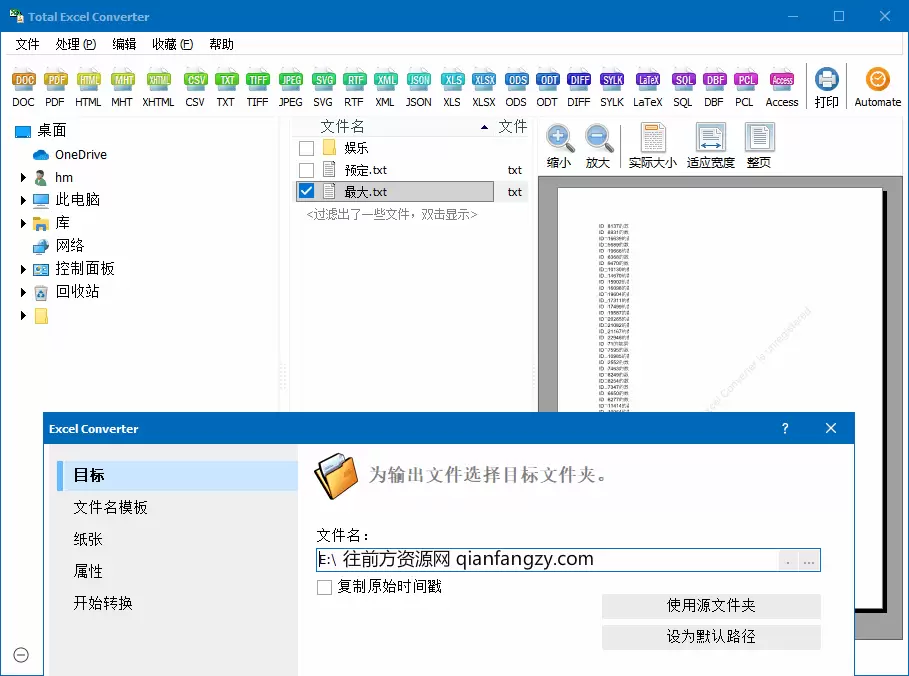
coolutils total excel converter,excel格式转换器,支持所有excel表格类型,可将excel文件转换为doc, pdf, html,文本或图像等格式。支持自动化处理,批量转换,添加水印,转换pdf文件可签名及加密等。
软件功能
1、支持所有excel表格文件类型,包括微软office新增的。
xls, xlsx, xlsm, xlsb, xlt, xltm, xltx, xlk, xlw
2、支持转换输出文件类型:doc, pdf, html, mht, xhtml, csv, txt, tiff, jpeg, svg, rtf, xml, xls, xlsx, ods, odt, lotus, diff, sylk, latex, sql, dbf
3、批量转换、自动化任务实时监视文件智能转换,可将多个excel合并一个tiff或pdf
4、excel转换为pdf文档时:可以添加数字签名、设置用户权限、设置密码保护等操作
5、添加水印到输出文件页眉或页脚、保留excel表格原始时间戳、支持命令行参数操作
版本特点
by zdbryan
破解付费版、补全部分翻译、去每次退出跳订阅弹窗,免安装
软件推荐[windows]coolutils_total excel converter_v7.1.0.55
提取码: p41i
软件推荐[windows]coolutils_total excel converter_v7.1.0.44
提取码: frb4
![软件推荐[windows]微软 office 2016 批量许可版24年06月更新版-哎呦不错往前方资源网](https://qianfangzy.com/wp-content/uploads/2022/10/sina-29.jpg)
![软件推荐[windows]微软 office 2021 批量许可版24年06月更新版-哎呦不错往前方资源网](https://img.qianfangzy.com/i/2023/01/01/poqbdr-3.jpeg)
![软件推荐[windows]ultracompare v24.0.0.23 修改版-哎呦不错往前方资源网](https://qianfangzy.com/wp-content/uploads/2021/11/ucico-220x150.png)
![软件推荐[windows]开源数据库管理平台 pgadmin 4 v8.8 中文免费版-哎呦不错往前方资源网](https://qianfangzy.com/wp-content/uploads/2021/05/pgadmin-220x150.png)
![软件推荐[windows]万兴优转uniconverter中文破解版15.5.11.10-哎呦不错往前方资源网](https://img.qianfangzy.com/i/2023/01/01/n8nf7r-3.jpeg)
![软件推荐[windows]qownnotes(开源markdown笔记本) v24.6.1 绿色版-哎呦不错往前方资源网](https://qianfangzy.com/wp-content/uploads/2024/02/qownnotes-220x150.jpg)
![软件推荐[windows]red panda dev-c (编程ide) v3.1 官方绿色版-哎呦不错往前方资源网](https://qianfangzy.com/wp-content/uploads/2024/06/小熊猫c-.png)